I’m jotting down a few things I’ve learned about Apple’s iCloud Private Relay network service and the implications of using it for having parental controls or other network allow/block settings in place.
What is iCloud Private Relay?
Apple describes iCloud Private Relay as a privacy-protecting service that hides the IP address and network activity (DNS lookups, sites visited, etc.) of an Apple device.
So, it’s basically a proxy service that forces all network traffic through a new connection, although Apple has taken steps to ensure it’s not as simple as “now Apple sees everything instead of your ISP”. You can read an article from Cloudflare about their role in providing the separated ingress and egress proxy setup that ostensibly ensures no one company has all of the details about what you’re doing in a private relay browsing session.
I think Apple introduced the service in 2022, and in many cases I think it was just turned on by default for a lot of devices/browsers.
How do you use it or turn it off?
While Apple offers some UI settings that imply you can disable iCloud Private Relay, I’ve found it’s not that simple and that Apple’s presentation of the service can be misleading at times.
I’ll take a moment to inventory the options because if you’re a network administrator or the parent/guardian of an Apple device user, this can get confusing quickly.
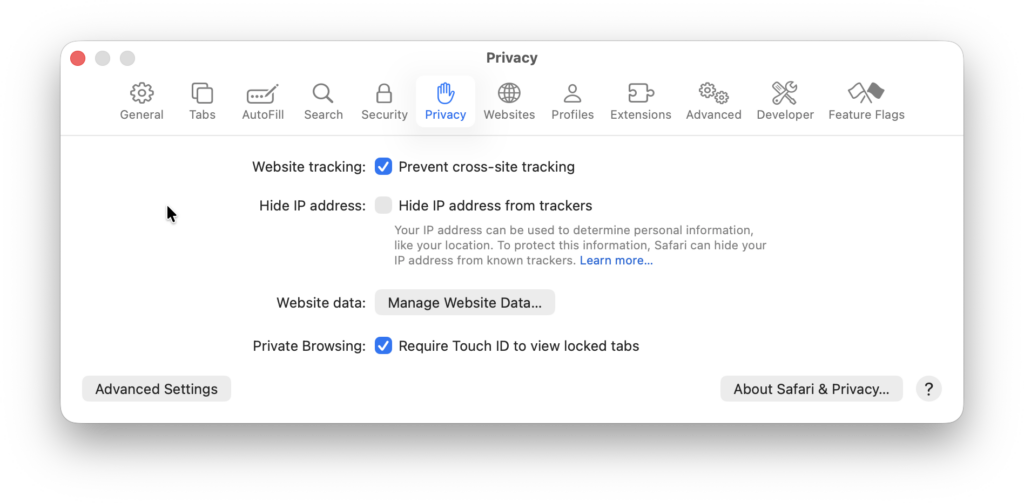
In theory you can tell Safari on a Mac or iOS device to turn off the “Hide IP from trackers” (under “Privacy”). It sounds great — “awesome, I can browse anonymously” — but the description of the option doesn’t really reveal the full implications for the user.
At the OS level, macOS offers the option to upgrade to “iCloud+” to turn on private relay to “protect browsing” (which I believe extends to other apps like Apple’s Mail) but it’s a bit confusing to offer that as a paid option under one name in one place and a free option under a different name in Safari.
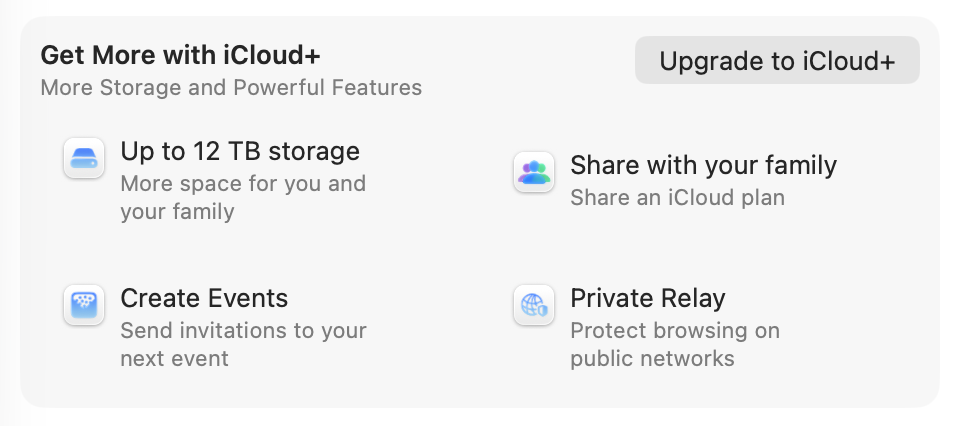
I have also seen several reports of people having access to private relaying features after their iCloud+ subscription or trial has expired. So it seems like Apple doesn’t necessarily see this as a substantial selling point in the iCloud+ offering.
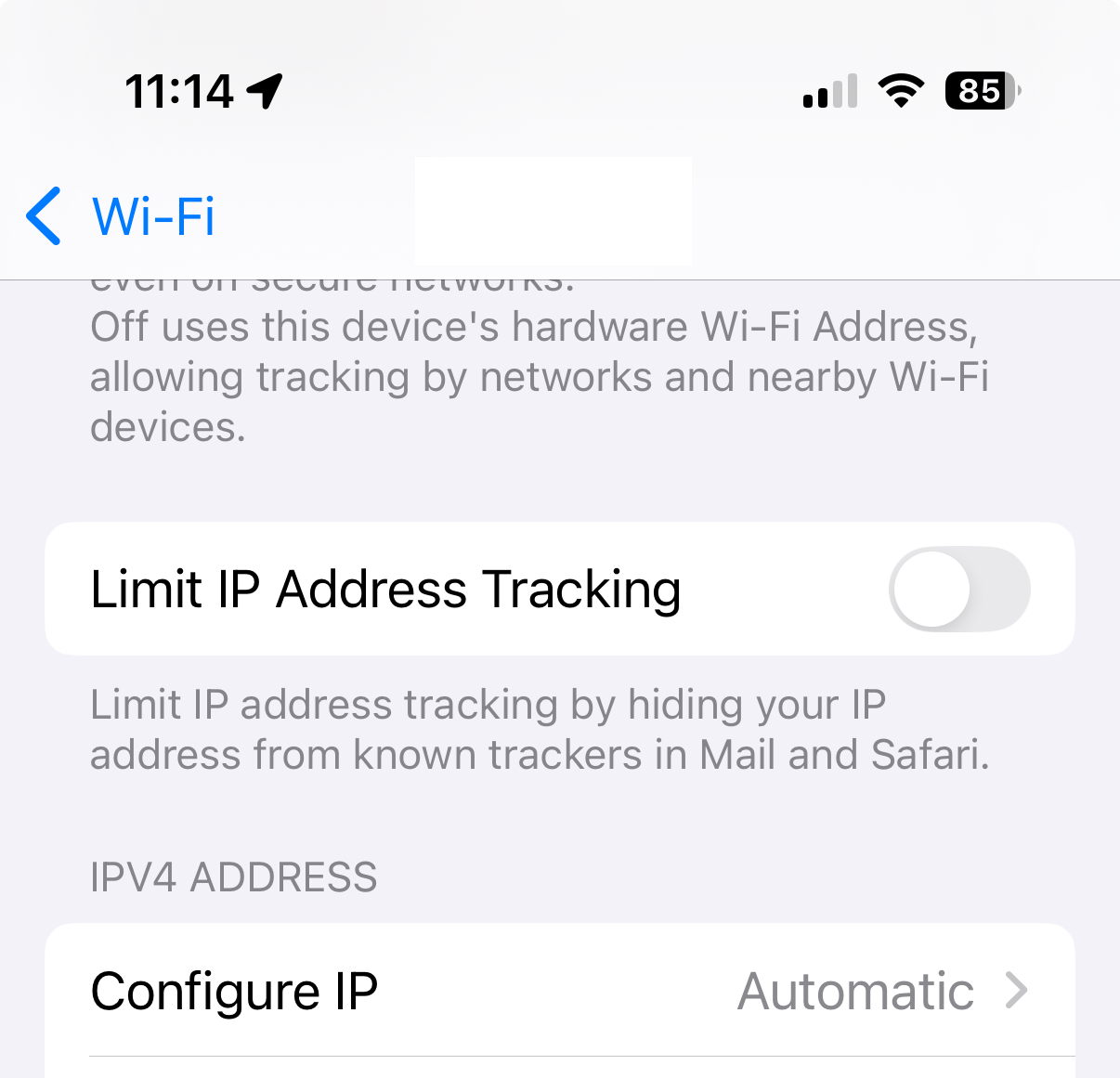
In iOS versions up through 18, there’s a system-level setting to “Limit IP Address Tracking” which turns on private relay usage:
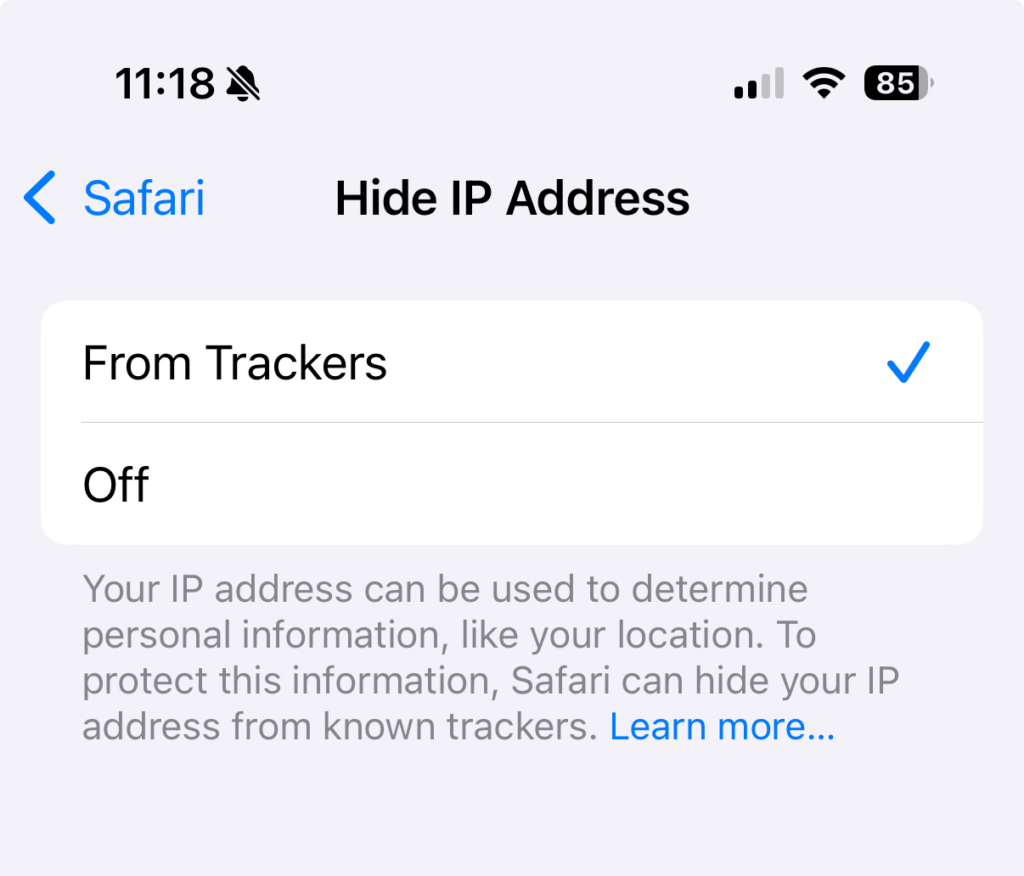
Also in Safari’s iOS settings, there’s an option to “Hide IP Address”:
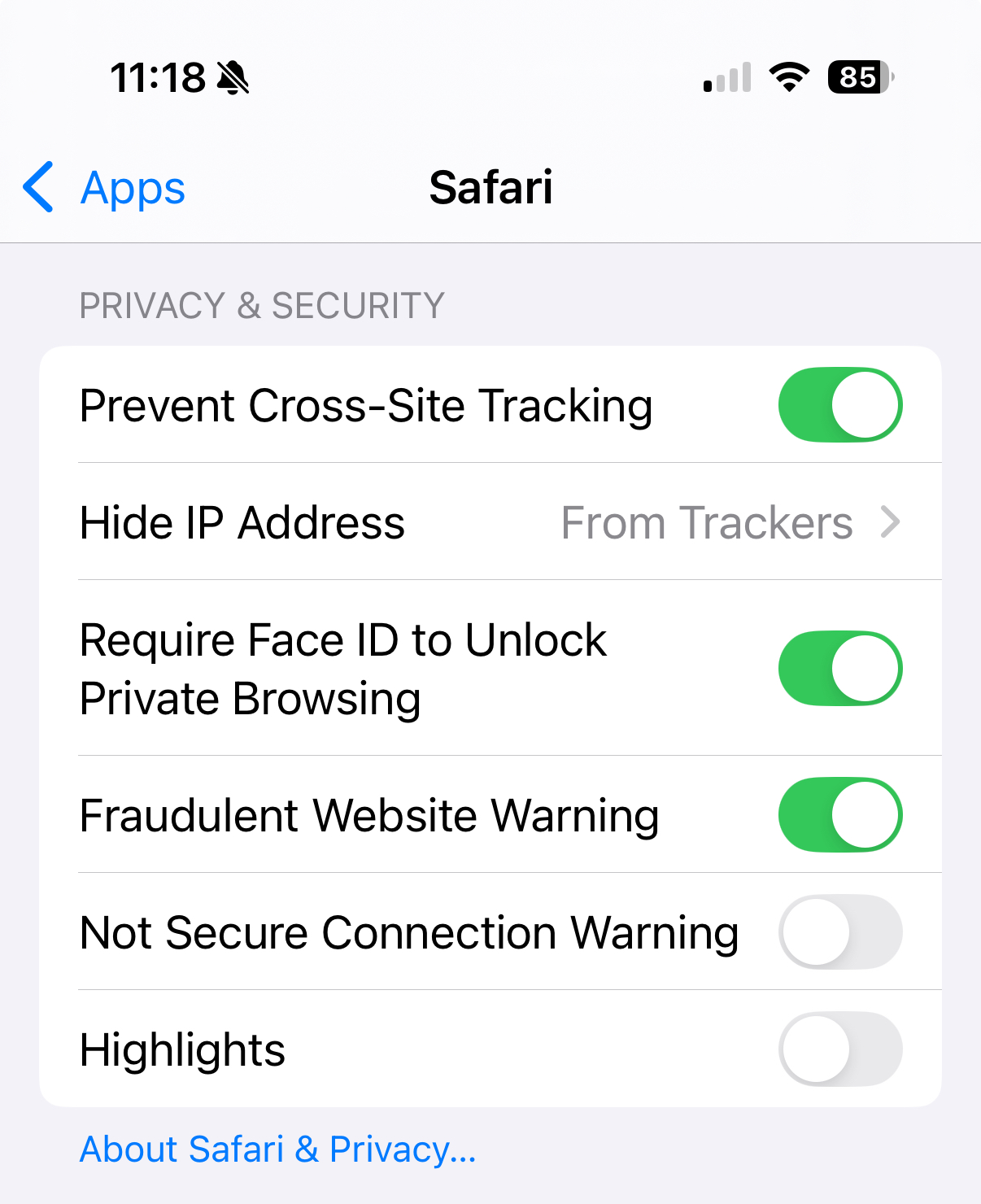
The interface seemingly gives you the option of choosing when you turn on private relay and who you chose to hide your IP address from, but it’s actually just an on/off thing:
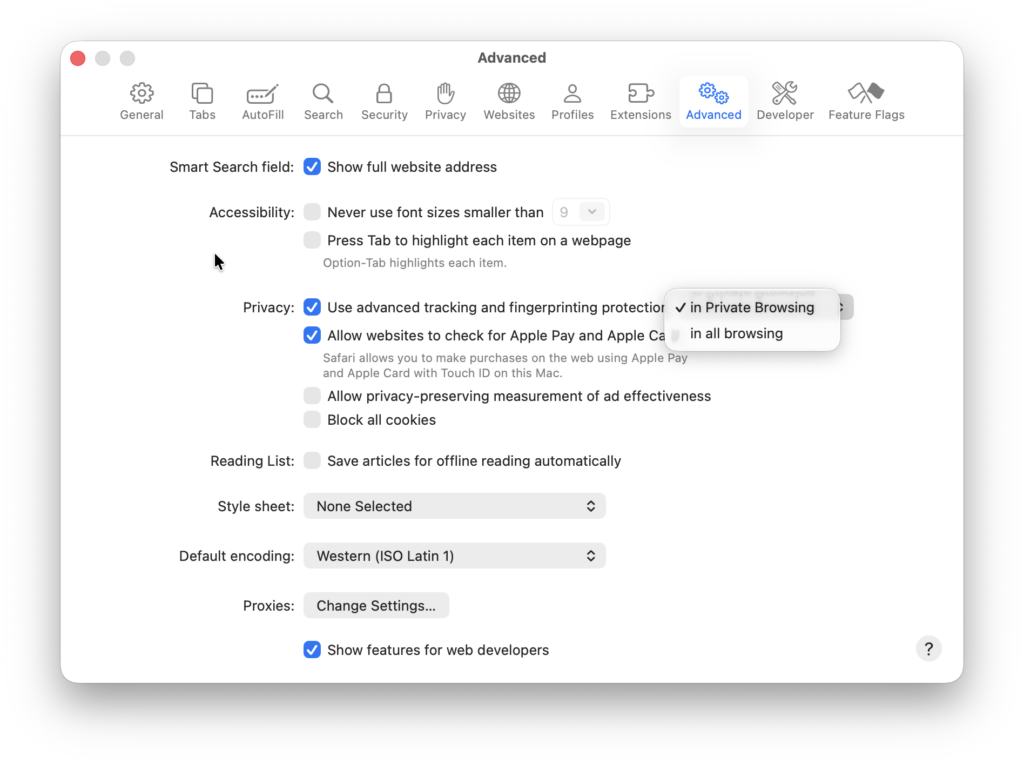
There’s another Safari setting where I think private relay is in play, and that’s Apple’s advanced tracking and fingerprinting protection. Their available documentation says that it does things like inject noise into browser APIs that would allow a site to fingerprint your browser, and removes tracking query parameters that might do the same.
But from what I can tell in observing attempted outbound network connections during private browsing, if you have this feature enabled, the browser attempts to route at least some network activity through private relay, even if you have the “hide ip address” turned off.
Lastly, there are reports of other installed apps on your system being able to request the use of iCloud Private Relay to make their own network connections. I haven’t spent a lot of time confirming this, but my experience is that private relay connection attempts happen plenty of times outside of Safari usage.
Isn’t this all a good thing?
In general, I’m glad Apple is providing more options for its users to browse the web in a way that reduces fingerprinting and observability by malicious actors. They know firsthand the horrors of their device users just connecting to random wifi networks all over the world, clicking on random things sent to them by random people, and just generally practicing terrible security hygiene. It even makes sense to me that they would enable these things by default and allow users to turn them off when desired.
I also think it’s a big deal to all of the sudden have a huge percentage of the world’s Internet users routing their browsing and other network traffic through Apple and its partners` networks. This change comes with its own privacy and security implications, and I’m pretty sure the average user has not thought those through.
It’s one more imperceptible but significant shift in the architecture of our connected lives that might seem good for now but could turn out to be used against people in troubling ways later on.
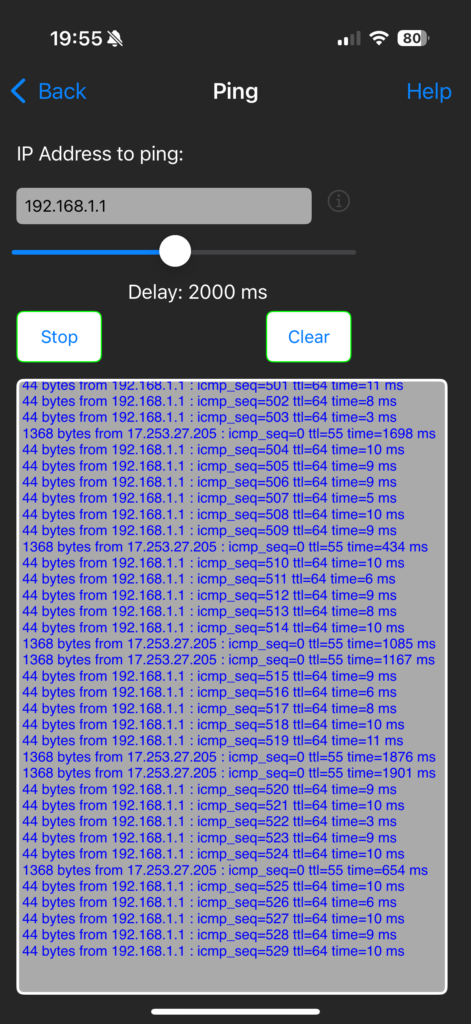
It also just makes troubleshooting network issues harder. A few months ago I was trying to figure out an internal connectivity issues, and a ping that I was running from my iPhone to my router started getting intermittent responses from an Apple IP — just weird!
Parental controls and network management
The biggest implication of private relay in my life was when I realized that the tools I’d set up to block unwanted network connections on my family’s devices would be circumvented.
Most ad blocking and parental control tools rely on the use of DNS lists to decide which hostnames and website addresses should be considered okay or not okay for a given device to connect to. There are myriad lists out there updated by volunteers and commercial entities alike that, by injecting them into your local DNS service, allow you to make parts of the Internet just disappear for your users; advertisements, adult content, tracking and fingerprinting services, cooking blogs that share too much personal backstory before just giving you the darn recipe, etc.
So if “my.bad.site” is on a block list and a device user tries to visit it while connected to our local network, the network tells their device “sorry, my.bad.site doesn’t really exist, go find something else to do.”
With iCloud Private Relay in place, the device likely no longer asks any local network appliance about how to get to “my.bad.site,” it just asks Apple, and Apple sends the device user on their way to the intended destination via their proxy.
This breaks the network-level filtering I’ve set up for our household users. And while I’m fortunate to not (yet) have adversarial relationships with said users, I know filtering tech can only do so much when put up against the will of a teenager. I can imagine a day soon where my daughter or one of her friends says “oh hey, you can get around that stupid block your dad put in place by turning this one setting on” and I’d like for it to not be that easy.
Apple might offer its own block list or parental control settings, and surely this is an evolution of private relay that’s coming soon, possibly as a selling point for iCloud+.
But I’m personally not ready to hand over to Apple management of what websites and hosts my family’s devices can talk to. And I suspect there are various homelab geeks, network administrators at small businesses and schools and others out there who feel the same way.
Disabling iCloud Private Relay via AdGuard Home rules
I use AdGuard Home as a local DNS server that facilitates fine-grained filtering and allowing. I use it at home and also on the GL.iNet Slate GL-AXT1800 Portable Travel Router (affiliate link) that I use when our family travels. It’s an awesome open source software tool and it’s been a great way to make sure network clients can get to the stuff they’re supposed to while keeping annoying and potentially harmful stuff filtered out.
AdGuard Home has a way to turn on blocking of a wide range of services, and iCloud Private Relay is one of those:
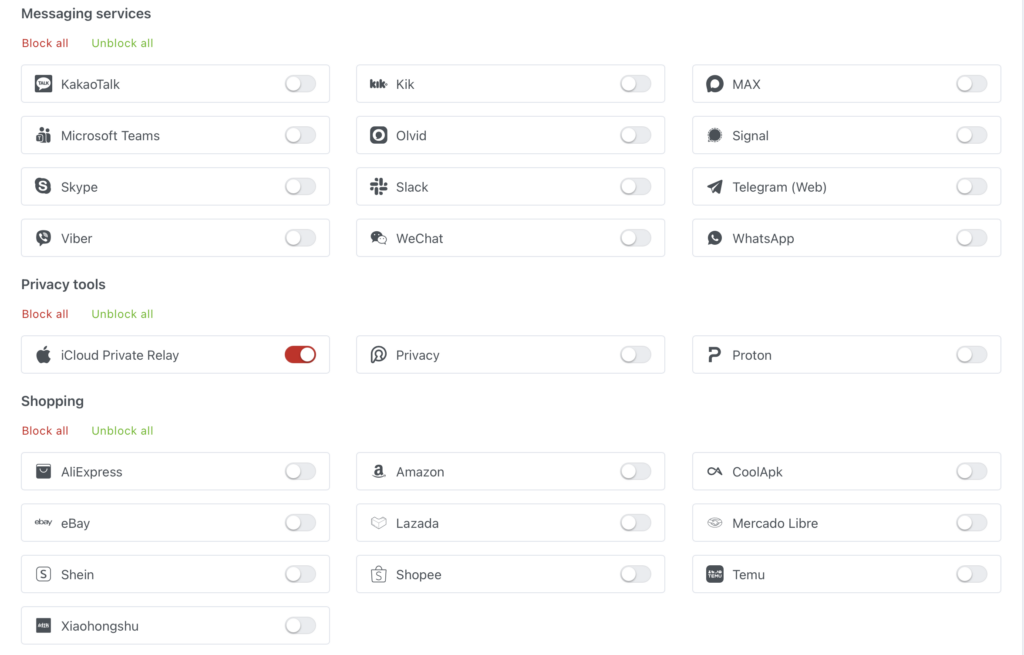
Behind the scenes, checking this box introduces three filtering rules using AdGuard Home’s special rule syntax:
||mask.icloud.com^$dnsrewrite=NXDOMAIN;;
||mask-h2.icloud.com^$dnsrewrite=NXDOMAIN;;
||mask-canary.icloud.com^$dnsrewrite=NXDOMAIN;;
Unfortunately, the rules don’t currently work in AdGuard Home as expected. Instead of redirecting DNS queries for those private relay hosts to show that no such domain exists (NXDOMAIN), they instead return a “NOERROR” response code and point to “0.0.0.0” as the resulting IP.
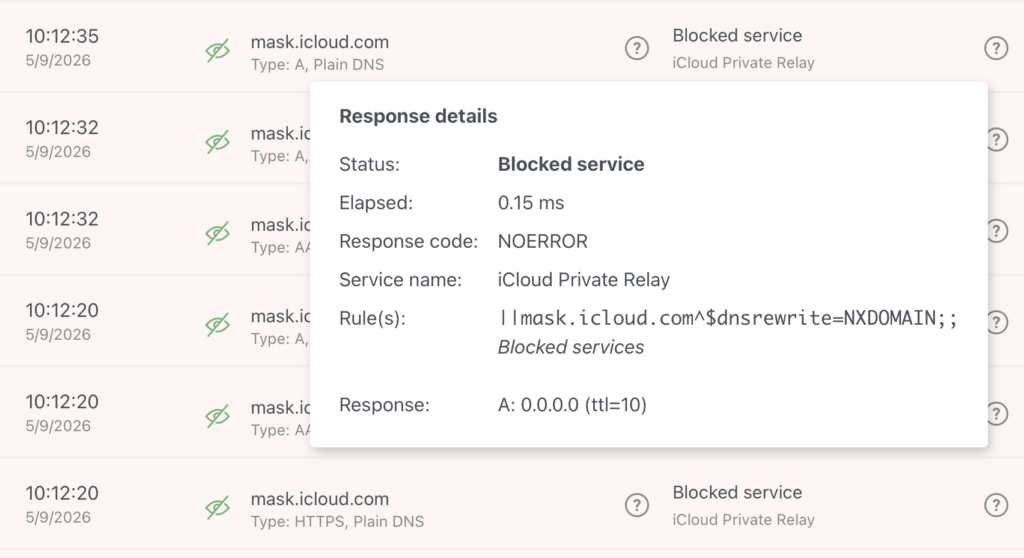
This in turn causes the client software (e.g. Safari) to try to connect to 0.0.0.0, or otherwise retry those lookups for a while longer, which can create noticeable (10 second or more) delays in the experience of trying to visit a site before it gives up and stops trying to use private relay. (Again, this is often my experience on macOS with all of the official toggles for private relay turned off.)
Apparently this is a known bug in AdGuard Home that is not receiving much attention.
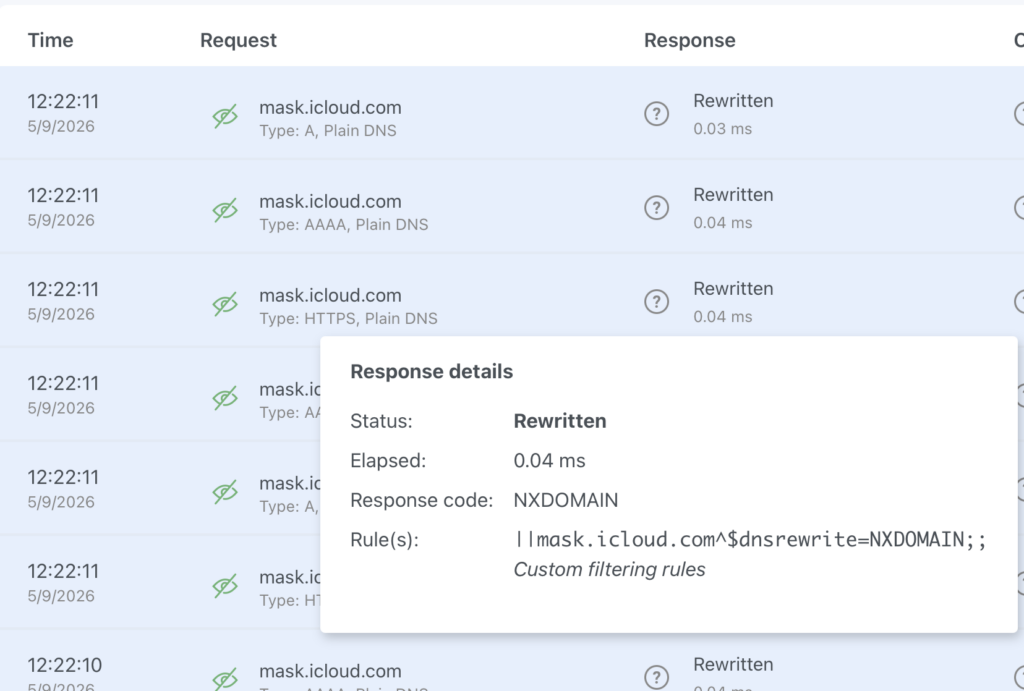
The workaround is that instead of relying on the “block this service” option, you can set up a list of custom filter rules that, for whatever reason, actually return the NXDOMAIN response that quickly tells the client to give up on private relay usage.
||mask.apple.com^$dnsrewrite=NXDOMAIN;;
||mask-private-replay.apple.com^$dnsrewrite=NXDOMAIN;;
||mask.icloud.com^$dnsrewrite=NXDOMAIN;;
||mask-h2.icloud.com^$dnsrewrite=NXDOMAIN;;
||mask-api.icloud.com^$dnsrewrite=NXDOMAIN;;
||mask-t.apple-dns.net^$dnsrewrite=NXDOMAIN;;
||mask-api.fe.apple-dns.net^$dnsrewrite=NXDOMAIN;;
||mask.apple-dns.net^$dnsrewrite=NXDOMAIN;;
||mask-canary.icloud.com^$dnsrewrite=NXDOMAIN;;
||canary.mask.apple-dns.net^$dnsrewrite=NXDOMAIN;;
||doh.dns.apple.com.v.aaplimg.com^$dnsrewrite=NXDOMAIN;;
||doh.dns.apple.com^$dnsrewrite=NXDOMAIN;;
||appleproxy.com^$dnsrewrite=NXDOMAIN;;
||proxy.gslb.apple.com^$dnsrewrite=NXDOMAIN;;
||relay.apple-dns.net^$dnsrewrite=NXDOMAIN;;
||p13n-relay.apple.com^$dnsrewrite=NXDOMAIN;;
||gsp85-ssl.Is.apple.com^$dnsrewrite=NXDOMAIN;;
I got this list from a random GitHub repo that was mentioned in the various bug reports and discussions I followed. There’s a different and perhaps better list of hostnames associated with private relay here, but it isn’t in the “NXDOMAIN” rewrite format and I haven’t explored the implications of blocking Apple Intelligence and Siri service hosts yet, so I’m not using it.
Here’s how the AdGuard Home query log looks now:
Getting tricky with firewall rules
The other thing I do to make all this work is a LAN outbound firewall rule that redirects all port 53 DNS traffic that is headed to the Internet back to my local AdGuard Home powered DNS server. Apart from any Apple-specific concerns, I found that plenty of devices on my home network were ignoring the DHCP-supplied DNS settings and just trying to talk to DNS servers of their choosing.
I should also be blocking DNS over TLS and DNS over QUIC (DoT/DoQ) traffic on port 853, but I’m not there yet.
And of course the trend is toward more clients having the option to use DNS over HTTP (DoH) where the DNS queries are mixed in with regular HTTPS traffic. The freedom, privacy and security advocate in me loves that this option exists for people who need it, but the parental controls network administrator in me is grumpy about it. I could block a list of known DoH resolvers, but then I need to get in to blocking VPN services and other bypass options, I’m not there yet either.
I’m also guessing it’s not long before device makers like Apple just hardcode a bunch of entry points to private relay services that take a lot more than DNS filtering or firewall rules (e.g. enterprise device profiles) to untangle. “Oh, you want your fancy blue iMessages? Well, you’re going to get them through the same hostnames that private relay uses.” And of course there are already people setting up tools for allowing or blocking based on known private relay egress IP addresses.
Final thoughts
Again, I don’t fault Apple for creating these privacy-enhancing options, but the fact that they could actually be used to make kids less safe online is a bit too much irony. We need clearer presentation and documentation for home network administrators, and we need a wider conversation about the importance of being able to understand and control what is going in and out of the networks that people are using.
If we just turn everything over to Apple or Amazon or Cloudflare and hope for the best, I fear that will not end well for the most vulnerable Internet users among us.
